Add invoices
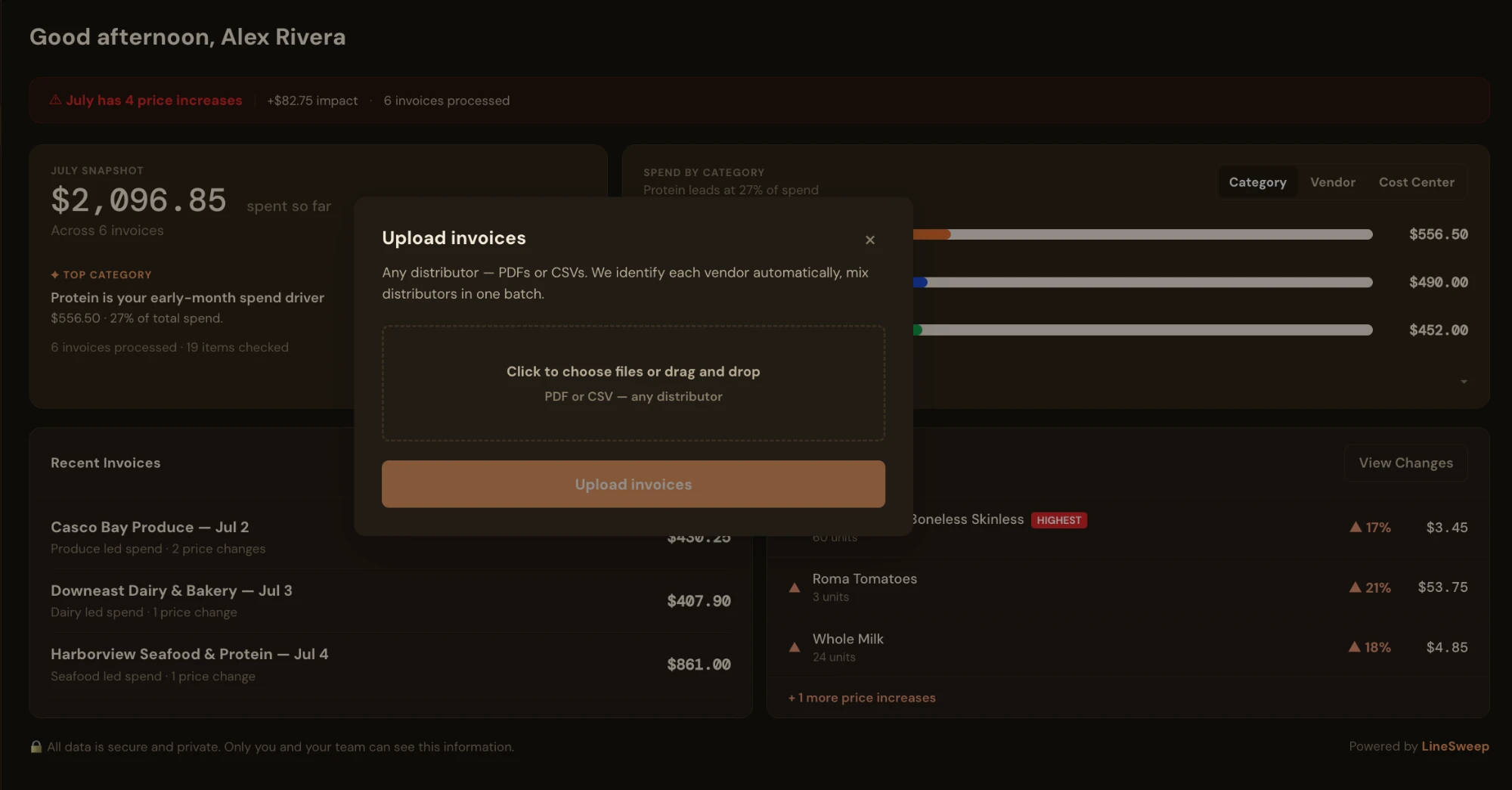
Upload PDF, CSV, or invoice photos—or forward invoices to your private LineSweep email address.
Restaurant inventory + cost tracking
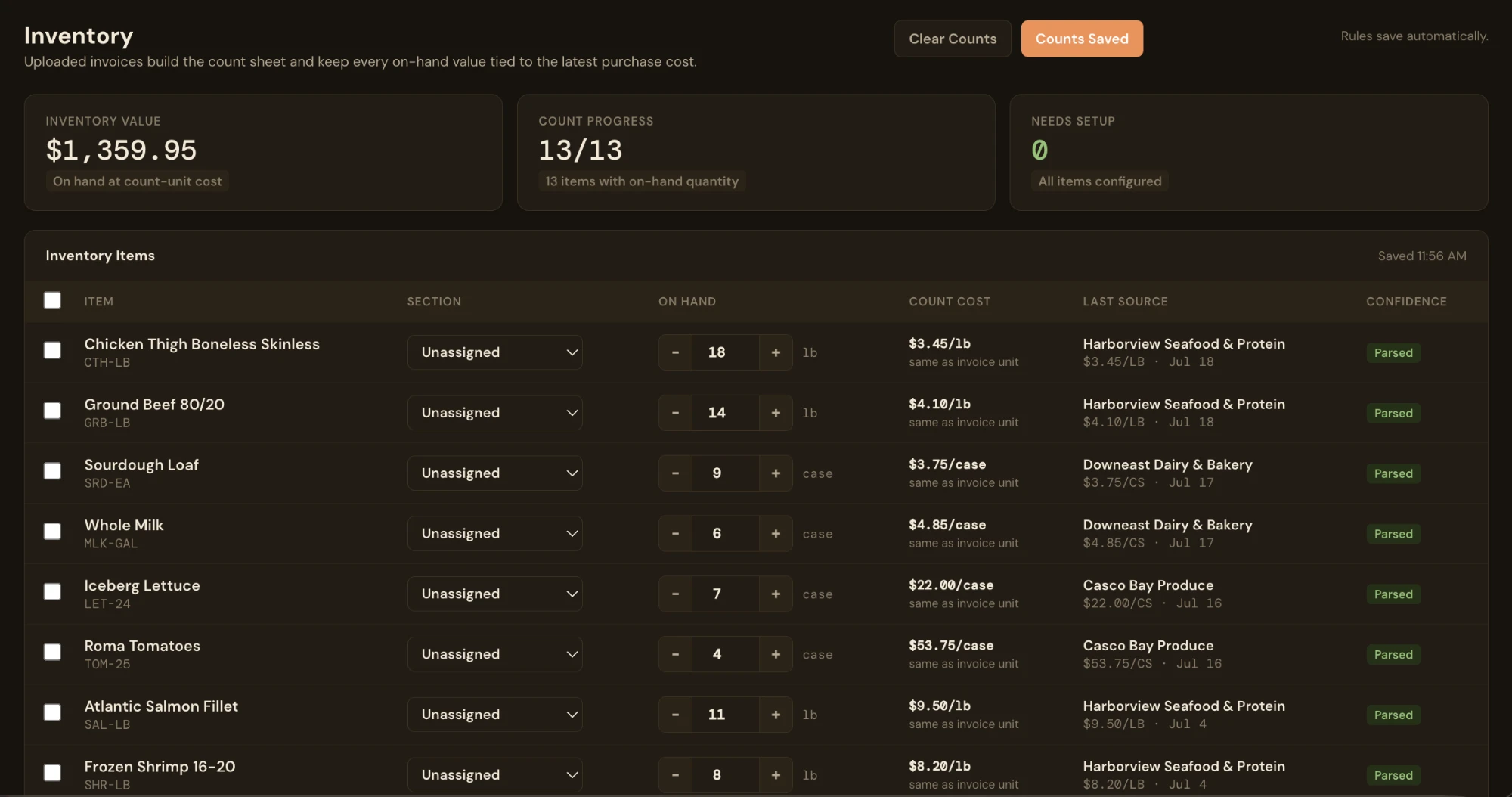
LineSweep turns what you already buy into an organized count sheet—with current costs, practical count units, and on-hand inventory value.
The invoice-first difference
Traditional inventory setup often begins by entering every item, vendor, pack size, and cost manually. LineSweep begins with the invoices that already contain those details.
Upload PDF, CSV, or invoice photos—or forward invoices to your private LineSweep email address.
LineSweep identifies items, categories, pack details, purchase prices, vendors, and cost centers.
Choose usable count units, enter what is on hand, and see inventory value using recent purchase costs.
Less data entry
New items can enter through the same invoice workflow that powers spend, item history, and price-change tracking. You are building operational context as you keep up with normal invoice work.
What LineSweep tracks
Build a repeatable inventory list from purchased items instead of reconstructing a spreadsheet every period.
Translate case and pack pricing into the units your team actually counts and uses.
Turn counted quantities into a restaurant inventory value grounded in recent purchase data.
See the vendor price movements behind changing inventory and food costs.
Organize items across produce, protein, dairy, beverage, supplies, and other restaurant categories.
Separate and allocate costs across kitchen, bar, or custom areas of the operation.
A clear fit—not every feature
LineSweep is a strong fit when your immediate problem is maintaining item costs, building count sheets, valuing on-hand inventory, and understanding purchasing changes.
It does not currently calculate theoretical inventory by depleting recipe ingredients after every POS sale, and it is not an ordering system. You do not need a POS connection or completed recipe database to start using it.
LineSweep is a good fit if you want to:
Know what you're choosing
| Capability | Spreadsheet | Traditional inventory system | LineSweep |
|---|---|---|---|
| Initial item setup | Manual entry | Often extensive configuration | Built from invoices |
| Keeping costs current | Manual updates | Depends on integrations | Connected to invoice history |
| Physical inventory counts | Yes | Yes | Yes |
| Theoretical POS depletion | No | Often available | Not currently |
| Ordering and purchasing | Manual | Often available | Not an ordering system |
Close the period
Beginning inventory, purchases, and ending inventory give you actual food cost for the period. Use the free LineSweep calculator to run the numbers.
Common questions
No. LineSweep begins with invoices, so you can track purchasing, item costs, inventory counts, and on-hand value without connecting a POS system.
No. Recipe setup is not required. LineSweep builds useful inventory and cost information from invoice items and the count units you choose.
Not currently. LineSweep supports physical inventory counts and on-hand value, but it does not deplete recipe ingredients automatically from POS sales.
You can upload PDF or CSV invoices, use clear invoice photos, or CC and forward invoices to your private LineSweep email address.
Yes. Invoice history powers item-level price tracking, helping you see which vendor price changes are affecting purchasing and inventory costs.
LineSweep is $99 per month per location or $950 per year per location. Your 30 free days begin when your first invoice is processed, and no card is required.
Start with an invoice
Add your first invoice, review the organized items, and start creating an inventory count that stays connected to cost.
Start with your invoices 30 free days begin with your first processed invoice. No card required.